
Now that you have linked your EasyPost account to Parcelcraft and set up your origin address in the previous steps, you are ready to print a test label. Test labels are free — no postage is charged — and confirm that your integration is working end to end before you buy real postage. Once you can print a test label, continue to the next section to enable 1-click shipping.
Step 1: Open Parcelcraft
Log in to your Stripe account and open the full-page app: in the left sidebar, click Apps, then Parcelcraft Shipping — or jump straight there with this link. You can also use the drawer by clicking the Parcelcraft icon in the app tray at the top right of the dashboard; the steps are the same in both.
Step 2: Start a blank shipment
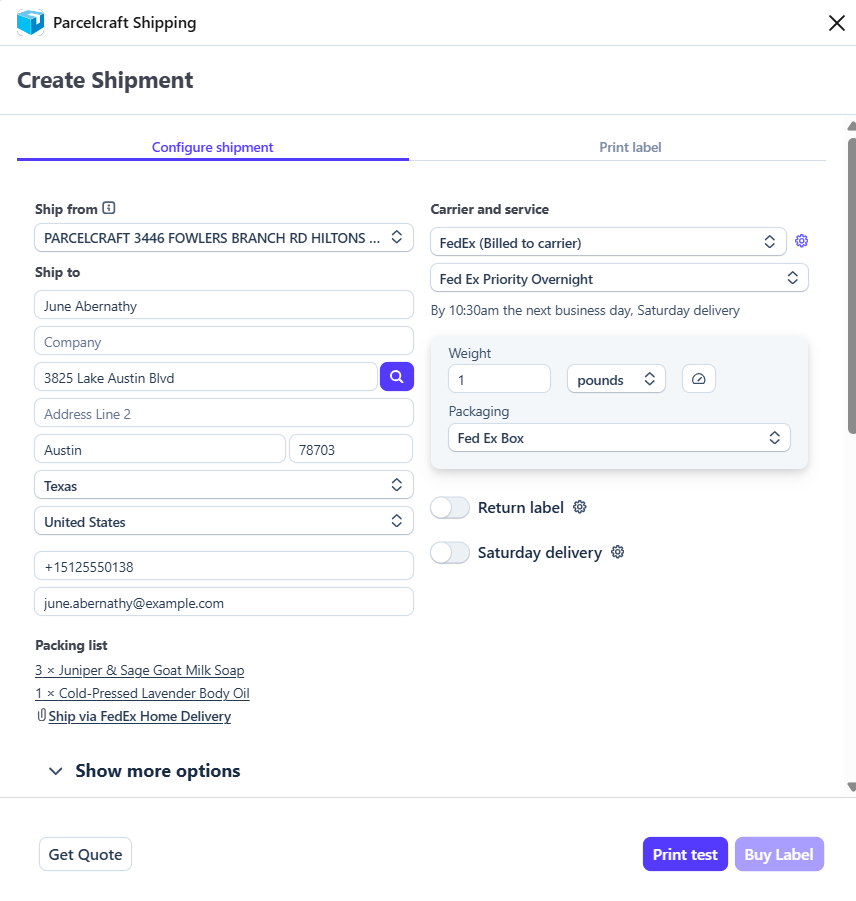
Click the + Create shipment button at the top of the page. This opens the Create shipment view with a blank shipment prefilled from your Parcelcraft defaults.
- Enter a recipient name and address — any valid address works for a test.
- Select a carrier and service.
- Enter a package weight, and choose your packaging.
Step 3: Print the test label
Click Print test at the bottom right of the view. The Print label tab opens showing the test label, the recipient, and a tracking preview:
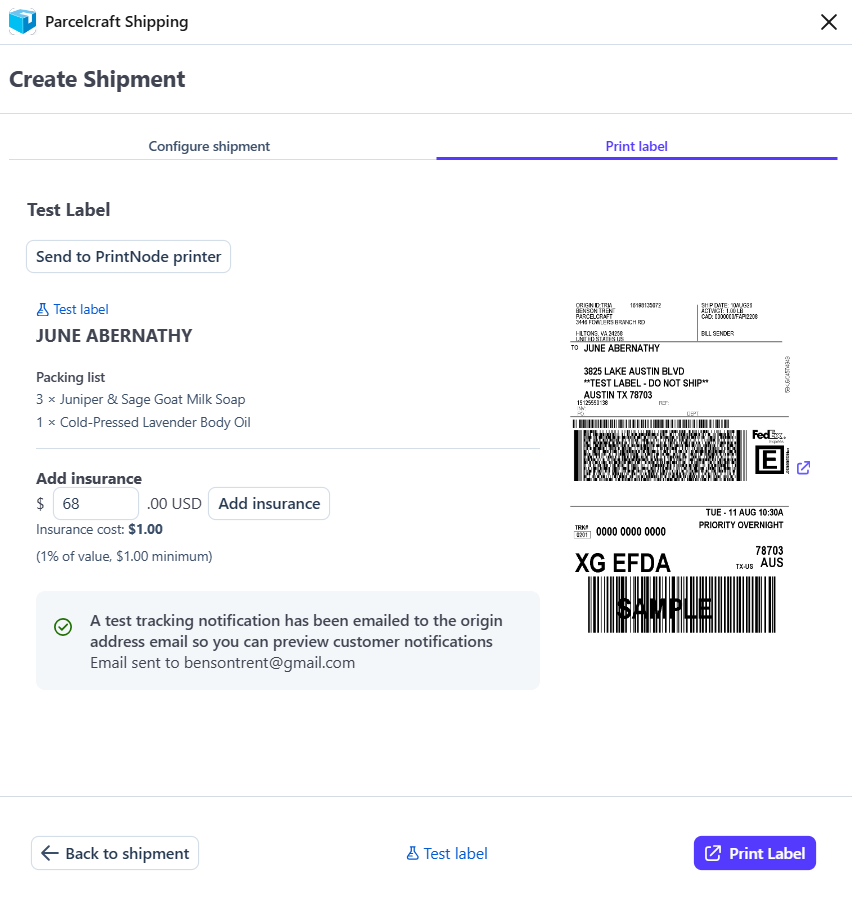
A test tracking notification is also emailed to your origin address so you can preview exactly what your customers will receive.
Click Print Label to open the label in a new browser tab, choose 4 x 6" label (thermal printers) or 8.5 x 11" label (standard paper), and click Print:
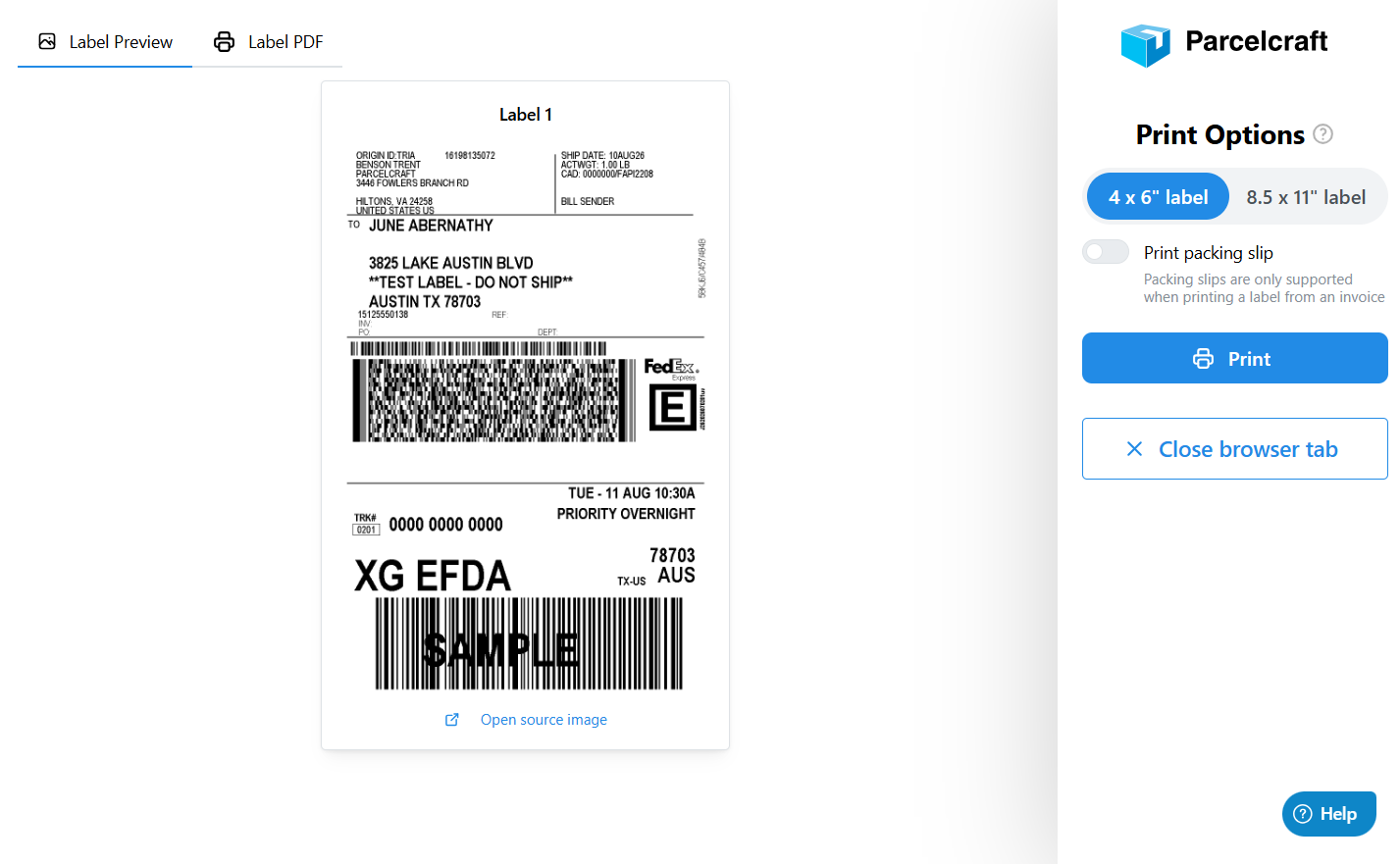
Tip: If the test label doesn't open or print as expected, double-check your printer settings and ensure that your printer is connected and functioning properly. You can also review the settings on the Printers & digital scale tab of the Parcelcraft Settings page — including PrintNode, which sends labels directly to your printer without a browser print dialog.
By successfully printing a test shipping label, you can confirm that your EasyPost integration is working as intended and that you are ready to start processing real shipments through Parcelcraft. Please continue to the next section to enable 1-click shipping.
If you encounter any issues or have questions during this process, don't hesitate to reach out to support@parcelcraft.com for assistance. Our support team is available to help you troubleshoot any problems and ensure a smooth experience with the platform.